What is Lix?
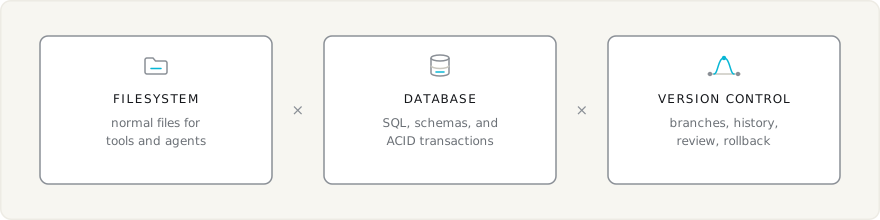
Lix gives your product a repository: files, SQL, and version control in one place. You embed it in your product.
Agents and tools read and write normal files. Your product queries and updates SQL rows. Both work on the same repository. Lix versions everything they write, with branches, history, review, rollback, and merge.
Unlike Git, Lix tracks the rows inside files, not lines of text. See How Lix compares to Git.
Use cases
Safe repositories for agents
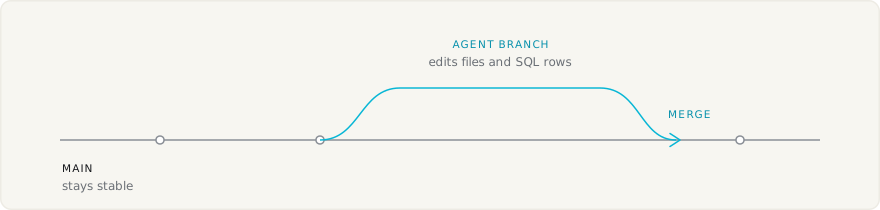
Give each agent task its own branch. The agent can edit files and SQL rows without changing the main branch. Preview the result, then merge or discard it.
See Lix for AI Agents.
Sync files
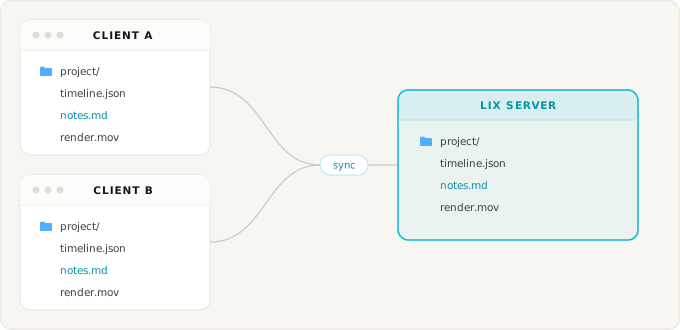
Sync the files that coding agents and applications work on, between machines and with a server.
import { openLix } from "@lix-js/sdk";
import { FilesystemStorage } from "@lix-js/storage-filesystem";

// ./project stays a normal directory. Lix syncs it through the server.
const lix = await openLix({
  storage: new FilesystemStorage({ path: "./project" }),
  server: {
    mode: "sync",
    url: "https://lixray.com/lix/01936f4e-7b6c-7c3d-8f9a-123456789abc",
  },
});
File-based apps with SQL and version control
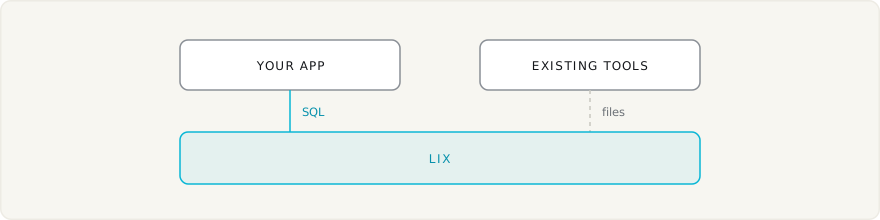
Build editors, knowledge bases, document workflows, and other file-based apps. Existing tools keep using files while your app uses SQL for queries and transactions. Lix versions everything both sides write.
Files become queryable rows
File plugins map parts of a file to rows. A row can represent a Markdown block, CSV record, spreadsheet cell, JSON property, or document clause.
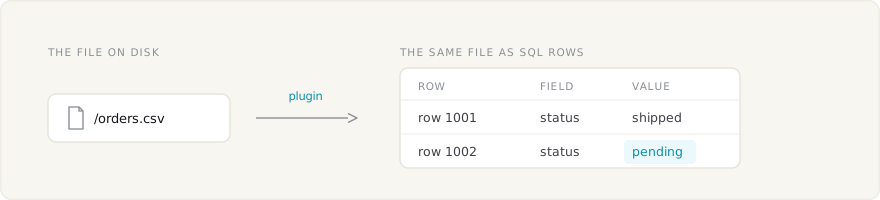
Apps read and write these rows with SQL. Lix records their history. With
FilesystemStorage, it also writes changes back to normal files on disk.
Diffs are row-level: review the clause, cell, or row that changed, not lines of text. See Diffs.
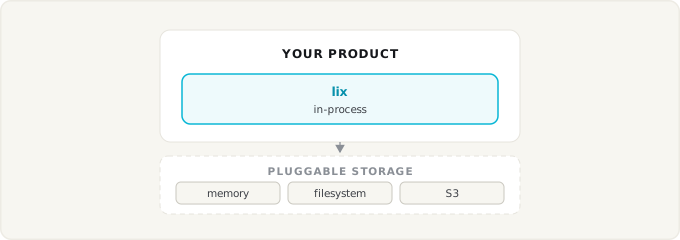
Pluggable storage
Run Lix in memory, on the local filesystem, or against a server backed by S3. See Persistence and Storage.
Local, remote, and sync
Lix supports local repositories, direct remote clients, and synchronized local replicas with the same API. See Persistence and Storage for setup examples.
Clients can execute directly on a server or use a synchronized local replica.
Both modes use the same files, SQL, and branches. Clients on the same server
see each other's changes through lix.observe(). See
Collaboration and Sync.
Permissions (planned)
Permissions will live inside the repository: per file, per group, and versioned like any other change. A policy change can then be proposed, reviewed, and merged on a branch.
Next
- Getting Started: choose the JavaScript or Rust quickstart.
- How Lix compares to Git: files, databases, and version control side by side.
- Schemas: define app rows and plugin rows.
- Diffs: track changes inside files.
- Files and Media: store text, binary files, and large media.
- Collaboration and Sync: connect clients directly or through local replicas.
- Persistence: choose a local or remote setup.